APK & ELF
Compare manifests, DEX files, and native libraries across base and split APKs. Diagnose ABI, dependency, and 16 KB alignment issues.
apk_inspectLocal Android tooling
Operate Android, replay UI tests, and inspect APKs, ELF files, and kernel modules from your MCP client.

Foreground interaction
Read the screenshot and UI tree together, target controls by selector, and replay the same interaction as a regression test.
Request
{
  "action": "observe",
  "session": "SESSION_ID",
  "image": true,
  "tree": true
}
Returns a PNG frame and its corresponding UI tree.
Request
{
  "action": "perform",
  "session": "SESSION_ID",
  "frame": "FRAME_ID",
  "step": {
    "kind": "tap_selector",
    "selector": {
      "text": "Save"
    }
  }
}
Uses the latest frame to verify and tap the Save control.
Request
{
  "action": "replay",
  "session": "SESSION_ID",
  "flow_file": "/path/to/flow.json"
}
Checks the foreground app at each step and records the flow result.
Use an unlocked device with the app in the foreground. Send keys, long presses, and swipes at adjustable speed. The optional Vanta input method supports Unicode and symbols.
View replay exampleInspection & diagnostics
Inspect the application, its native code, and the Android system from the same client.
Compare manifests, DEX files, and native libraries across base and split APKs. Diagnose ABI, dependency, and 16 KB alignment issues.
apk_inspectCompare captured VM execution traces to locate differences in opcodes, state hashes, and control flow.
vm_traceReview processes, threads, memory maps, and device logs. Record a test process’s PID, start tick, and exit status.
runCheck a .ko file’s architecture, vermagic, and symbol CRCs. Record module experiments, dmesg, and available pstore logs with explicit Root access.
kernel_snapshotUse the device’s authorized Android shell.
Use an existing rish setup over ADB.
Request an existing Root grant for individual operations.
Paired USB setupfor Windows and ARM64 test devices with KernelSU Next.
Local installation
Install Node.js 22 or 24. Add adb from Android Platform Tools to PATH or set ADB_PATH. Enable USB debugging and approve the host on the device.
Android Platform Toolscodex mcp add vanta --env VANTA_TRANSPORT=adb --env VANTA_SERIAL=YOUR_SERIAL -- npx --yes --ignore-scripts vanta-mcp@0.11.0{
"mcpServers": {
"vanta": {
"command": "npx",
"args": [
"--yes",
"--ignore-scripts",
"vanta-mcp@0.11.0"
],
"env": {
"VANTA_TRANSPORT": "adb",
"VANTA_SERIAL": "YOUR_SERIAL"
}
}
}
}Install Volsa’s Vanta MCP (https://github.com/SVolsa/vanta-mcp) in this MCP client.
Check Node.js 22 or 24 and run adb devices -l. Use the authorized device I specify.
Keep the existing MCP entries and register a stdio server named vanta with
npx --yes --ignore-scripts vanta-mcp@0.11.0
Set VANTA_TRANSPORT=adb, VANTA_SERIAL to that device, and ADB_PATH if needed.
Reconnect. Verify device_use and apk_inspect, then run connection with action=check and shell privileges.
Report the result and any manual steps. Leave existing device apps and permissions as they are.Release verification
Replay passed on an Android 17 emulator with ADB and Shizuku. Native checks covered offline 16 KB alignment and a missing dependency on the emulator.
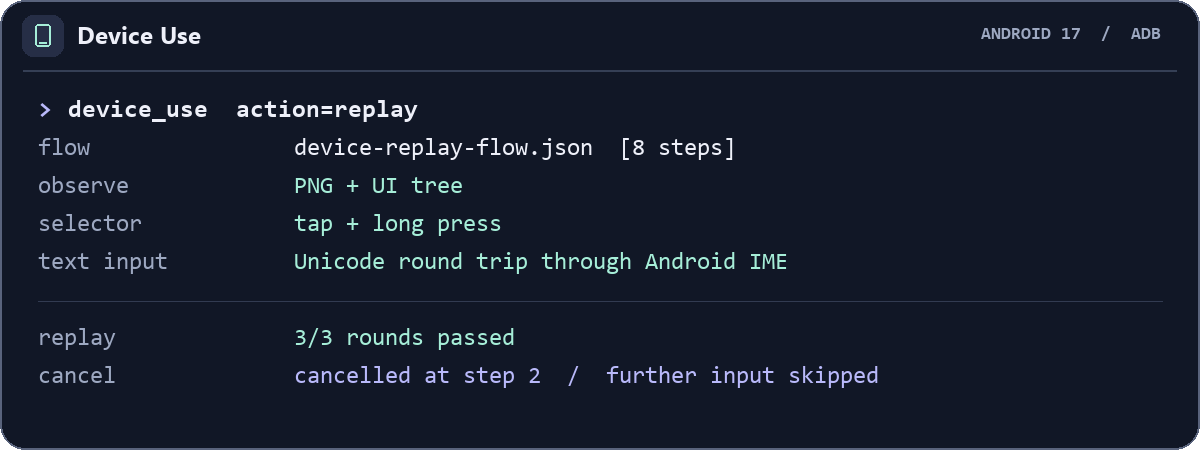
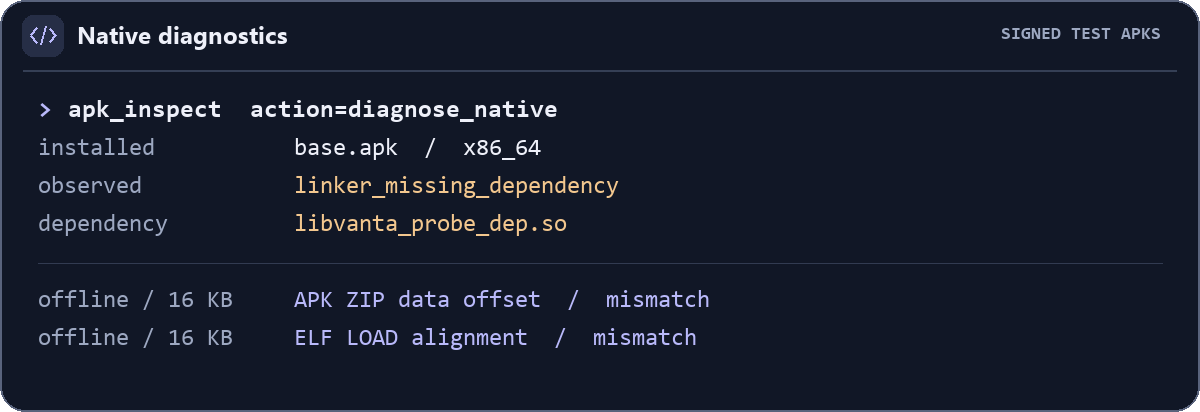
Physical-device foreground replay, paired USB replay, Shizuku app-level revocation, and kernel diagnostics still need verification.
View GitHub Actions